
Ursprünglich veröffentlicht auf LinkedIn am 2025-01-22.
Bei der Arbeit mit Cloud-Umgebungen habe ich ausgiebig Prometheus, Grafana und Alertmanager für die Überwachung eingesetzt. Allerdings stoße ich bei der Arbeit mit TV-Headends auf eine häufige Herausforderung: das Fehlen von Prometheus-Endpunkten zum direkten Abrufen von Metriken.
Um dies zu überwinden, können wir das weit verbreitete SNMP (Simple Network Management Protocol) nutzen.
Integration von SNMP mit Prometheus#
SNMP Exporter#
- Prometheus bietet einen offiziellen Open-Source-SNMP-Exporter, der das Sammeln von SNMP-Daten erleichtert.
- Um Metriken effizient von weniger verbreitetem Hardware zu sammeln, verwenden Sie die vom Hersteller bereitgestellten MIB-Dateien (Management Information Base). Astro Strobel BC4-Headends bieten zum Beispiel eine herunterladbare ZIP-Datei mit den relevanten MIBs aus der Weboberfläche ihres Controllers an.
Dieser Ansatz ermöglicht eine nahtlose Integration traditioneller SNMP-Daten mit den leistungsstarken Überwachungsfunktionen des Prometheus-Ökosystems.
Um den SNMP-Exporter für Astro Strobel BC4 zu konfigurieren, befolgen Sie diese Schritte.
- Bereiten Sie MIB-Dateien vor: Laden Sie das ZIP-Archiv vom BC4-Management-Controller herunter und kopieren Sie die AstroStrobel*.mib-Dateien in das snmp_exporter/generator/mibs-Verzeichnis.
- Konfigurieren Sie den Generator: Befolgen Sie die Dokumentation innerhalb des snmp_exporter-Projekts, um den MIB-Generator einzurichten.
- Fügen Sie den folgenden Eintrag zur generator.yml-Datei hinzu:
- Führen Sie den SNMP-Exporter aus: Laden Sie das betriebssystemspezifische snmp_exporter-Archiv herunter.
- Entpacken Sie das Archiv und platzieren Sie die generierte snmp.yml-Datei im snmp_exporter-Verzeichnis.
- Starten Sie den snmp_exporter-Dienst.
Es ist einfach zu überprüfen, ob der SNMP-Exporter Metriken erfolgreich von Ihrem Gerät sammelt, indem Sie eine einfache HTTP-Anfrage stellen. Dies kann mit einem Webbrowser oder dem curl-Befehlszeilen-Tool erfolgen. Ersetzen Sie die snmp_target_IP durch eine echte IP.
Der snmp_exporter ist korrekt konfiguriert, wenn er Metriken in Bezug auf das SNMP-Modul erfolgreich abruft.
Prometheus#
Prometheus ist ein Open-Source-Überwachungs- und Warnsystem, das Zeitreihendaten sammelt und speichert. Es eignet sich hervorragend für Zeitreihendaten mit hohem Volumen und ist daher ideal für die Überwachung dynamischer Systeme und Anwendungen.
Das Scrape-Ziel für den snmp_exporter muss in der Prometheus-Konfiguration hinzugefügt werden. Als erster Schritt ein Verzeichnis für die Konfiguration und die Konfigurationsdatei erstellen.
Um die Dinge einfach zu halten, wird der Prometheus-Container mit dem Host-Netzwerk gestartet und die Konfigurationsdatei wird in den Container eingebunden.
Öffnen Sie die Prometheus-UI über http://127.0.0.1:9090 und überprüfen Sie, ob Prometheus das Ziel erreichen und die Metriken abrufen kann.


Grafana#
Grafana ist eine Lösung zur Visualisierung von Dashboards und kann verschiedene Datenquellen verwenden. Es ist auch als Container verfügbar, was für Tests nützlich ist. Bei Verwendung mit dem Host-Netzwerk ist der Webdienst unter http://127.0.0.1:3000 mit den Standardanmeldedaten admin/admin verfügbar.
Als erster Schritt muss Prometheus als Datenquelle hinzugefügt werden.

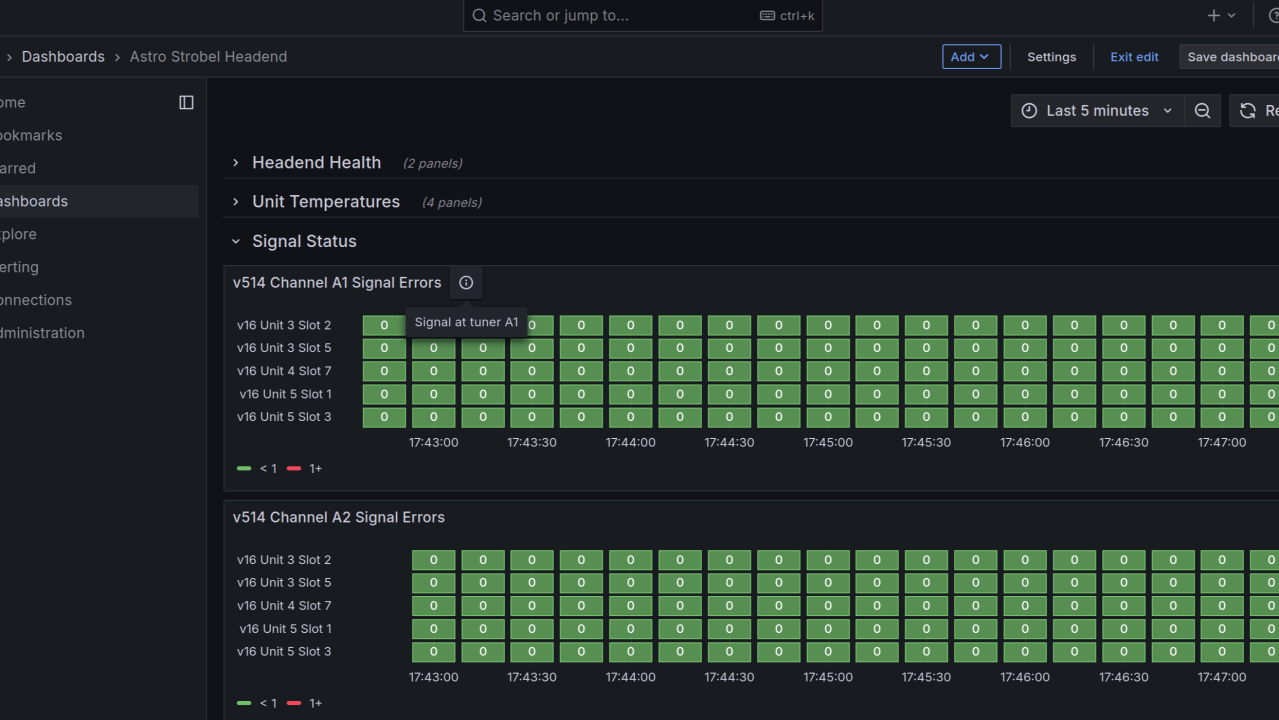
Um die gesammelten Prometheus-Daten effektiv zu visualisieren, erstellen Sie ein Dashboard mit Panels. Das Verständnis der verfügbaren Metriken ist entscheidend für diesen Prozess. Nehmen wir bc4DynamicNIT als Beispiel, um dies zu veranschaulichen.
Der Objekttyp “bc4DynamicNIT” innerhalb der AstroStrobel-Buscontroller.mib ist als Integer-Datentyp spezifiziert. Die möglichen Werte stellen einen Zustand dar.
Dieses Wissen ermöglicht es Ihnen, Wertzuordnungen effektiv zu verwenden, um den Zustand des Systems genau im Dashboard zu visualisieren.

Mit diesem Verständnis der MIB und des snmp_exporters ist es einfach, weitere Panels zu erstellen.


Die Integration von SNMP-Daten in Ihre Überwachungslösung bietet bedeutende Vorteile. Sie können informative Dashboards erstellen und vor allem ein robustes proaktives Warnsystem einrichten, um die optimale Leistung und Zuverlässigkeit Ihres TV-Headends sicherzustellen.
Dieser flexible Überwachungsstapel kann leicht mit anderen Diensten, Datenbanken und Lösungen integriert werden. Prometheus und Grafana dienen als zentraler Knotenpunkt zum Sammeln und Visualisieren von Metriken und bieten eine einheitliche Übersicht über Ihr gesamtes System. Es gibt viele Exporter und Integrationen sowie Client-Bibliotheken verfügbar, um Prometheus zu Anwendungen hinzuzufügen.
Alertmanager#
Alertmanager ist ein Open-Source-System, das entwickelt wurde, um Warnungen zu verwalten und weiterzuleiten, die von Überwachungssystemen wie Prometheus generiert werden. Durch die Integration von Alertmanager mit Prometheus und SNMP für die TV-Headend-Überwachung ist es möglich, ein proaktives und effizientes Warnsystem einzurichten, das eine zeitnahe Problemlösung sicherstellt und Serviceunterbrechungen minimiert.
Fazit#
Dieser flexible Stapel, der durch ein reichhaltiges Ökosystem von Exportern unterstützt wird, ermöglicht eine nahtlose Integration mit verschiedenen Diensten und Infrastrukturkomponenten. Prometheus und Grafana dienen als zentraler Knotenpunkt zum Sammeln und Visualisieren von Metriken und bieten einen umfassenden Überblick über die Systemleistung. Alertmanager, mit seiner umfangreichen Unterstützung für Empfänger, stellt sicher, dass kritische Ereignisse rechtzeitig und effektiv gemeldet werden.
Ich hoffe, dieser Artikel hat Ihnen einen interessanten Überblick über die Überwachung von TV-Headends basierend auf SNMP und Prometheus gegeben. Fühlen Sie sich frei, Ihre Gedanken in den Kommentaren zu teilen.
Haftungsausschluss: Ich habe keine finanzielle oder materielle Vergütung von einem der in diesem Artikel genannten Unternehmen erhalten. Die Idee für dieses Setup kam mir während eines Gesprächs mit einem kleinen Kabel-TV-Anbieter. Ich war wirklich neugierig zu sehen, was möglich ist.
Möge die Macht mit dir sein
Gerhard Sulzberger