
Ursprünglich veröffentlicht auf LinkedIn am 2020-01-19.
In meinem letzten Artikel habe ich über die Powershell-DevOps-Pipeline geschrieben und dass ich gitlab-ce für dieses Projekt verwenden möchte. Heute habe ich also einige Dinge kombiniert, die mich in meinem Homelab interessieren. Starten wir gitlab-ce mit podman in einer CentOS 8.1 VM.
[administrator@podnode01 ~]$ sudo podman run --detach --hostname gitlab.test.vm --env GITLAB_OMNIBUS_CONFIG="external_url 'http://gitlab.test.vm/'" --publish 443:443 --publish 80:80 --publish 222:22 --name gitlab gitlab/gitlab-ce:latestHier geht es los. Ich erstelle ein Git-Projekt auf meinem lokalen Rechner und habe das Repository an die gitlab-ce-Instanz gepusht.
Starten wir auch einen Windows 2019-Server im Labor und führen einen Powershell-Shell gitlab-runner darauf aus.

Okay, also habe ich den gitlab-ce-Server, den Powershell gitlab-runner mit dem Label “windows” und ein Git-Repository. Wie kann man diese kombinieren? Fügen Sie einfach eine .gitlab-ci.yml-Datei innerhalb des Git-Repositorys hinzu.
cat .gitlab-ci.yml
pages:
  stage: deploy
  tags:
  - windows
  script:
  # Führe PowerShell-Befehl aus
  - powershell -Command "Get-Date"
  # Führe PowerShell-Skript aus
  # - powershell -File copyFiles.ps1
Okay, machen wir einen Commit und einen Push, um zu sehen, ob dies einen "Build" auslöst. Ich weiß, dass "Get-Date" kein Befehl ist, der einen Build auslöst, aber anstelle von "Get-Date" können wir in Zukunft andere PowerShell-Skripte wie Pester verwenden.
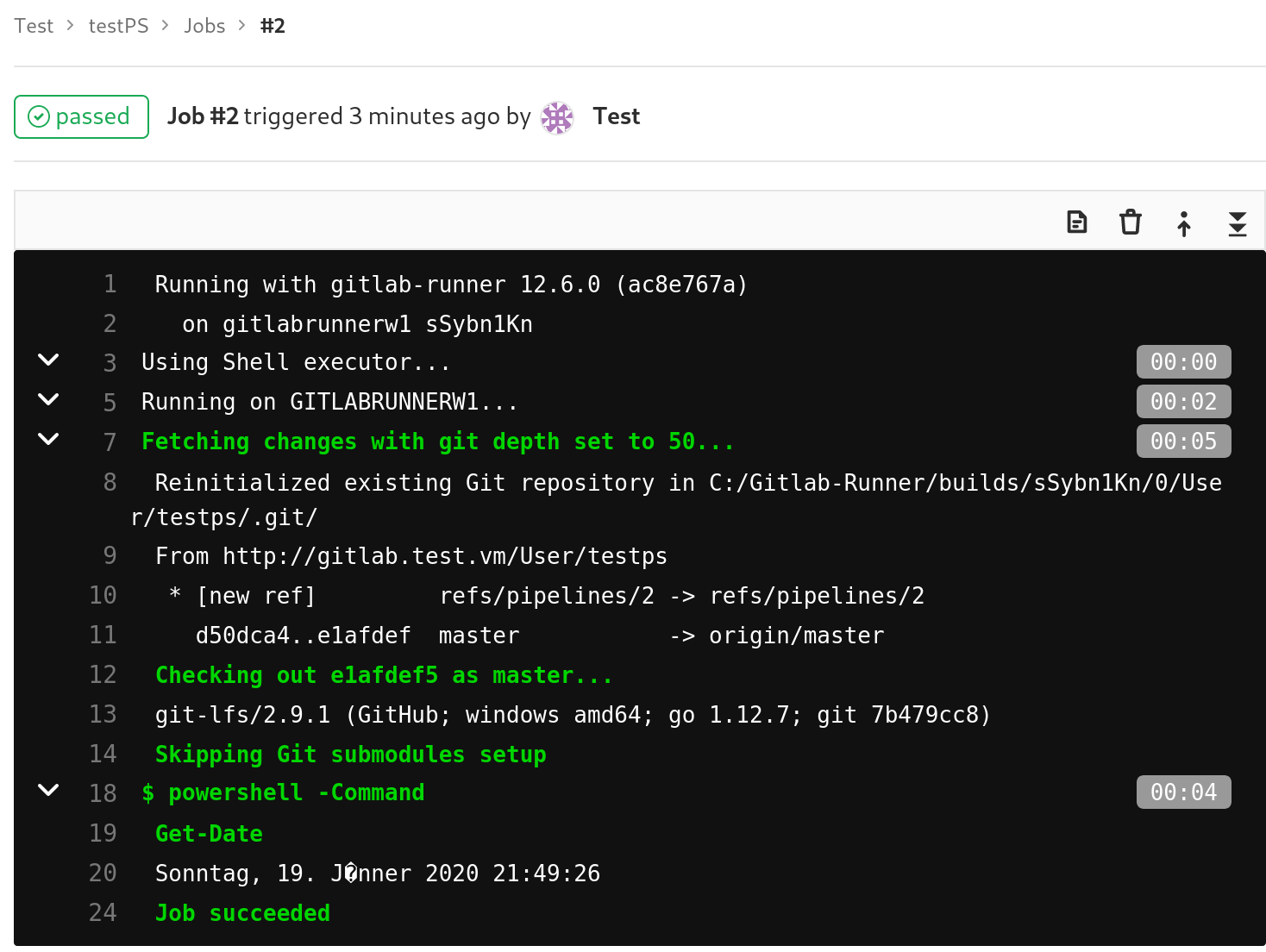
Das war nur ein POC. Aber es hat mich weniger als 1 Stunde gekostet, die Maschinen zu erstellen und diese zu kombinieren. Ich denke, das ist eine einfache Möglichkeit, eine Build-Pipeline auch für PowerShell-Module und -Skripte zu erstellen.
Der nächste Schritt wird sein, die Pester-Tests innerhalb der Build-Pipeline auszuführen.